Viator links are affiliate links. We may earn a commission if you book through them. How we compare
CUN · TERMINAL-BY-TERMINAL ARRIVAL GUIDE
From the baggage belt
to your booked ride.
Find the right exit at Cancun Airport, recognise the signs and meet your transfer representative. Start with your terminal and the transport you booked.
Exit instructions reviewed 15 October 2026 · Muvon, Holbox and Unittravel meeting points updated 16 October 2026 · Photo dates are shown below.
Which terminal are you arriving at?
Check your airline’s latest arrival information. T2 domestic and international arrivals have different exits. A meeting point at another terminal is not a reason to change terminals.
Check a flight with airport operator ASUR · Muvon meeting-point photos · Holbox pickup guide · Unittravel meeting photos · Cannot find your driver?
Choose the signs for your transport.
A prebooked transfer
Look for Tour Operator / Hotel Shuttle and follow the instructions on your voucher. Your booking platform may have a different name from the local company meeting you.
ADO bus
Look for the red ADO branding. Confirm your destination, departure terminal and platform with ADO staff. A shuttle meeting point is not the bus stop.
Taxi or a personal pickup
Taxi autorizado means authorised taxi. At T4, Family and Friends is a different exit from Hotel Shuttle. Follow the arrangement you actually booked.
Indoor sales desks are not proof that someone represents your booking. Match the company name, passenger name and destination before leaving with anyone.
T2 · DOMESTIC / NACIONAL
Terminal 2: arriving on a domestic flight.
- Collect your bags. Follow the exit and ground-transport signs from domestic baggage reclaim.
- Continue toward the shuttle area. Kalido’s published route passes the indoor desks and uses glass doors on the right. Check your own voucher and the current signs before choosing the door.
- Find the booked company. Use the exact bar, sign or representative description supplied with your reservation. Keep your group together while one person contacts the provider.
Booked with Muvon?
Muvon identified the ADO spot in the Pre-Booked Services Area as its Terminal 2 Domestic meeting point on 16 October 2026. Its representative holds a sign with your name. This is a company pickup landmark, not an instruction to board an ADO bus.
Muvon pickup · ADO landmark
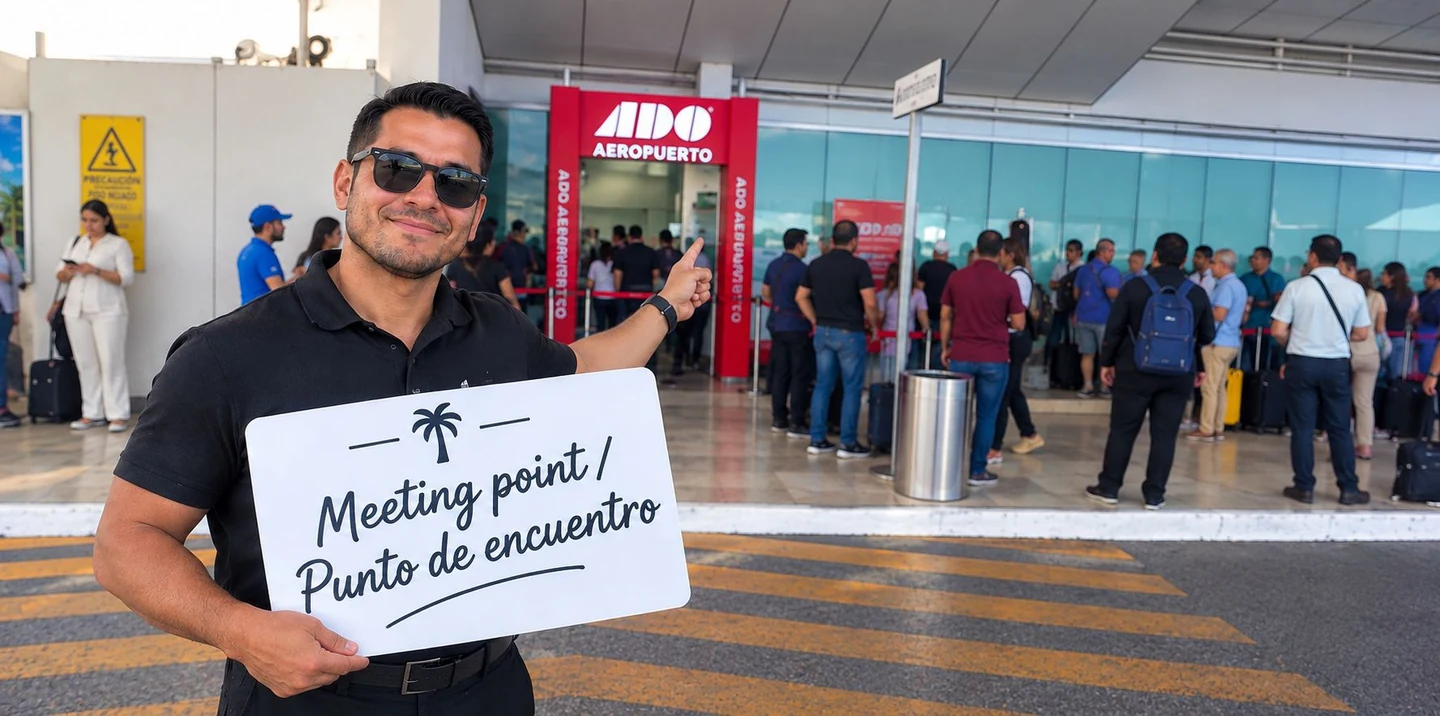
Check your operator’s current guide: Kalido · Terminal 2 National
T2 · INTERNATIONAL / INTERNACIONAL
Terminal 2: arriving from abroad.
- Complete the arrival formalities and collect your bags. Then follow the signs for Tour Operator / Hotel Shuttle.
- Continue through the corridor to the outside sliding doors. Use the supplier name on your voucher to identify the correct representative.
- Stop at your company’s meeting point. USA Transfers describes a meeting-point bar/café to the left; Kalido describes the first palm tree. These are company-specific instructions, not interchangeable meeting points.
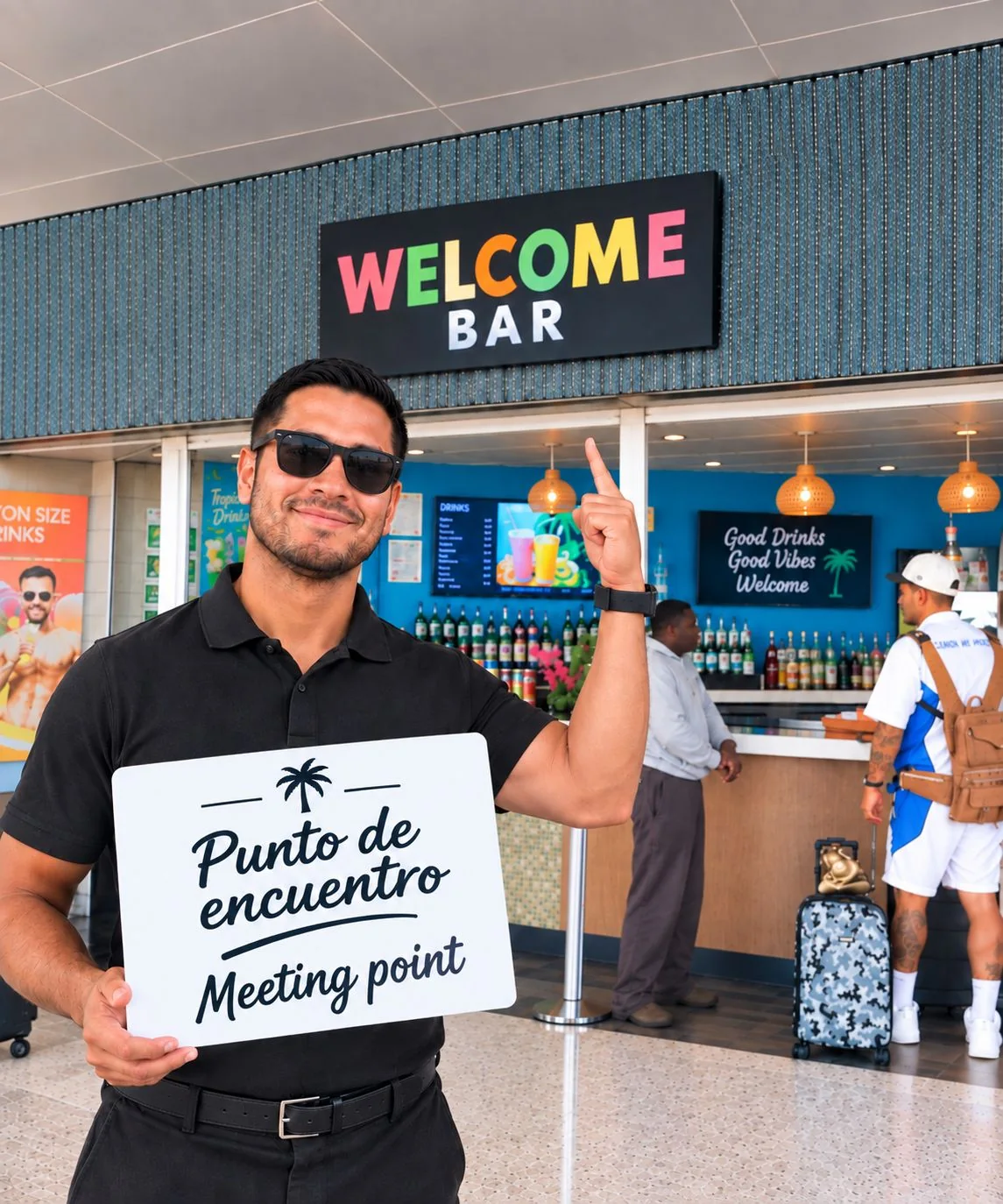
Muvon passengers: the company identifies the Welcome Bar beside a grey wall as its T2 International meeting point. See Muvon’s T2 International photo.
Check your operator’s current guide: USA Transfers · T2 International · Kalido · T2 International
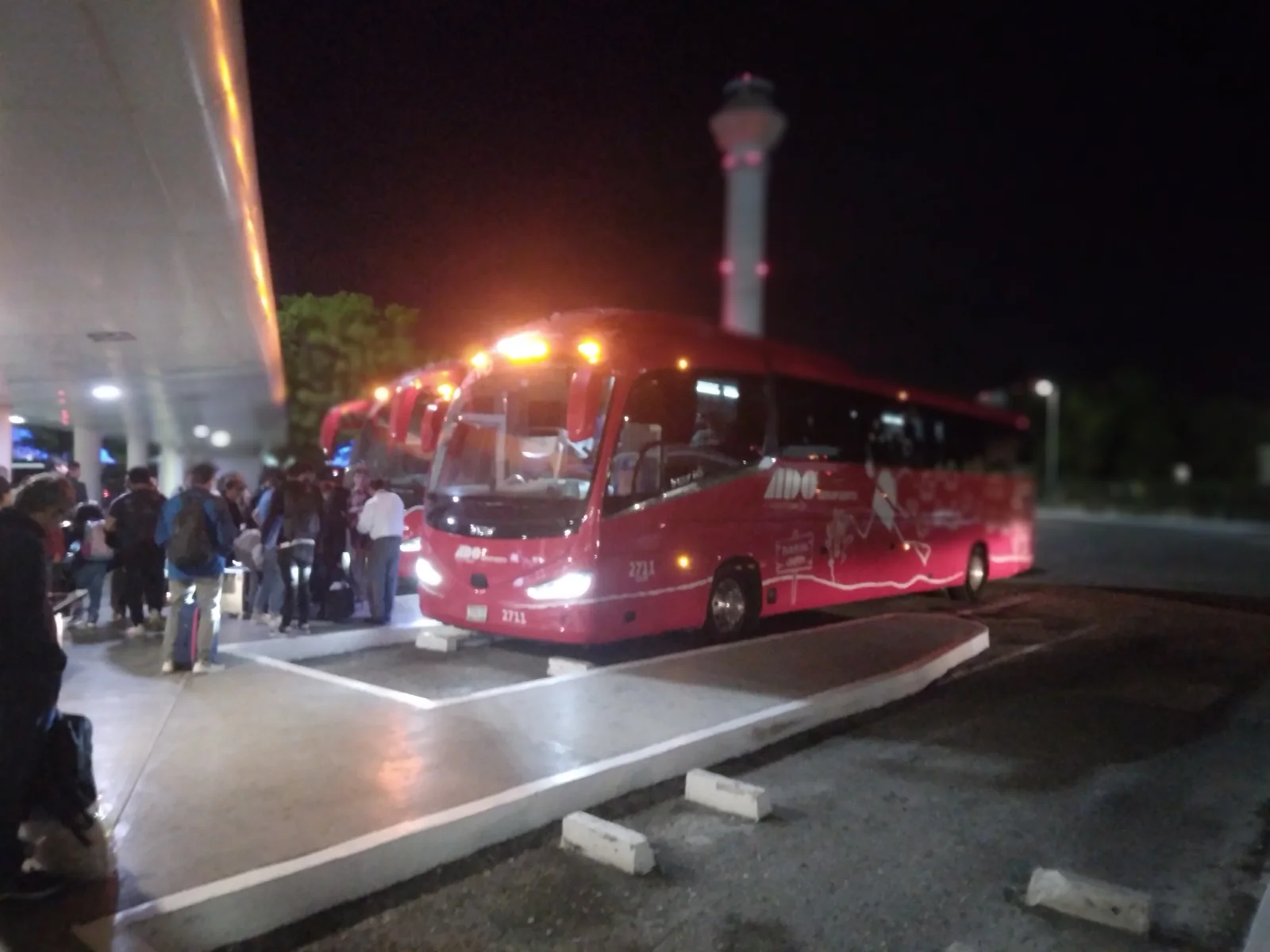
Taking ADO from T2 instead?
The photograph shows the covered bus boarding area. Confirm the departure on your ticket and ask ADO staff for the correct platform; do not use this image to locate a private-transfer greeter.

T3 · INTERNATIONAL ARRIVALS
Terminal 3: find the outdoor greeters.
- Finish immigration, baggage collection and customs. Follow Tour Operator / Hotel Shuttle through the corridor to the sliding-door exit.
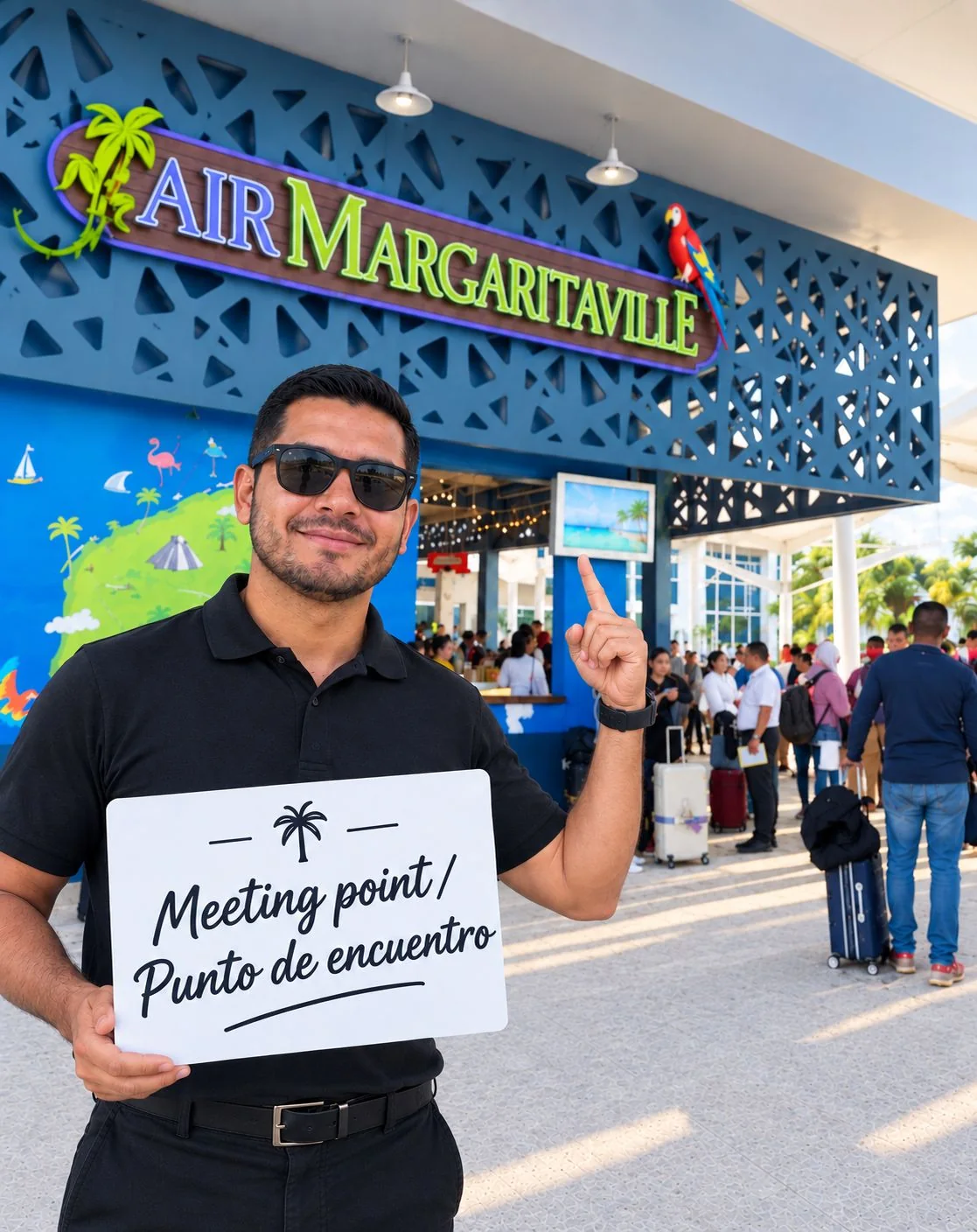
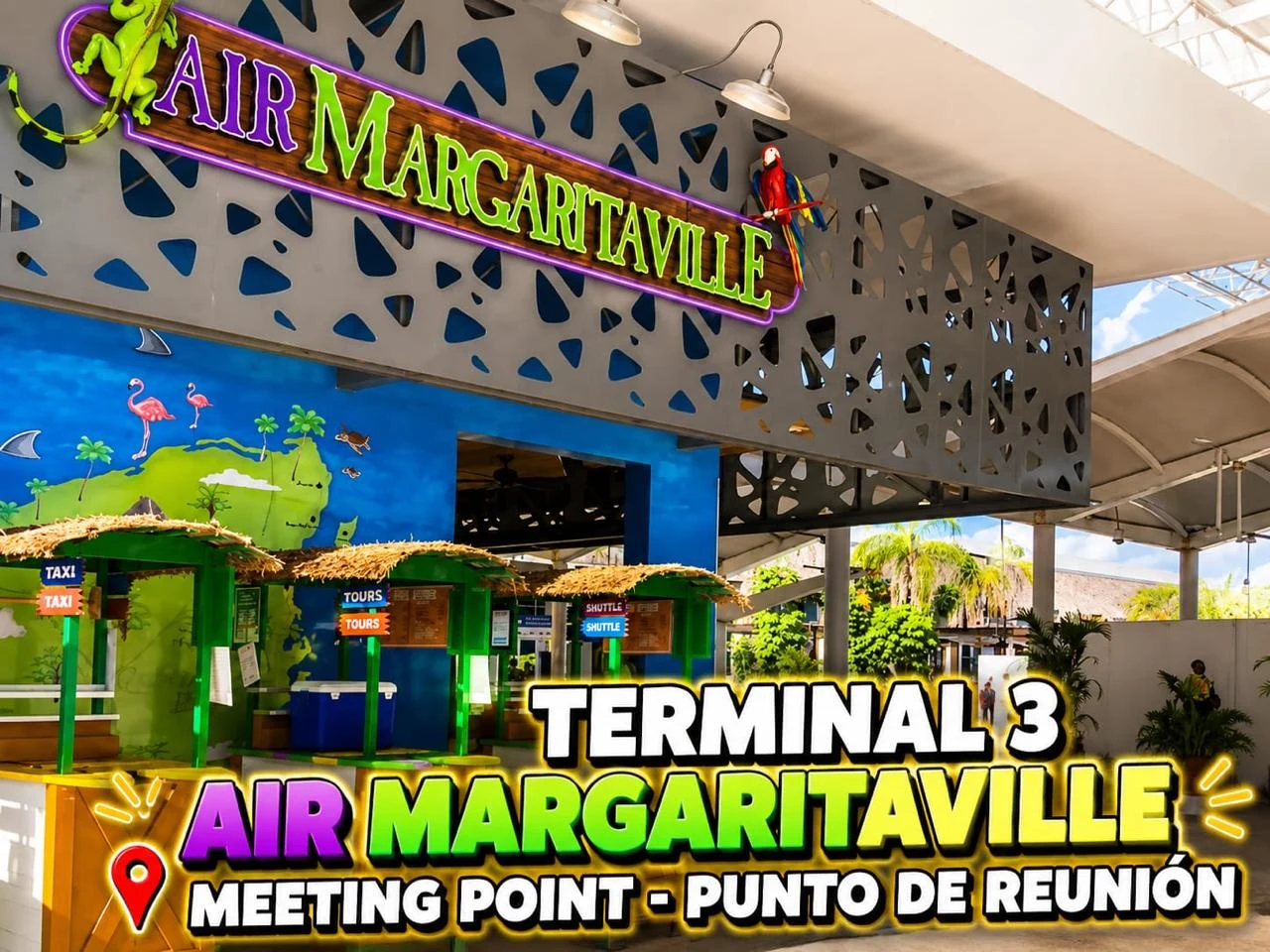
- Look for the company sign and uniform on your voucher. Air Margaritaville is a landmark used in operator guides; the representative’s position depends on your company.
- Check before crossing the pedestrian walkway. USA Transfers tells its passengers not to cross; Canada Transfers says its greeters are usually just after it. Follow the instructions for the booking you hold.
Muvon confirmed Air Margaritaville as its T3 landmark on 16 October 2026. See the photograph supplied by Muvon.
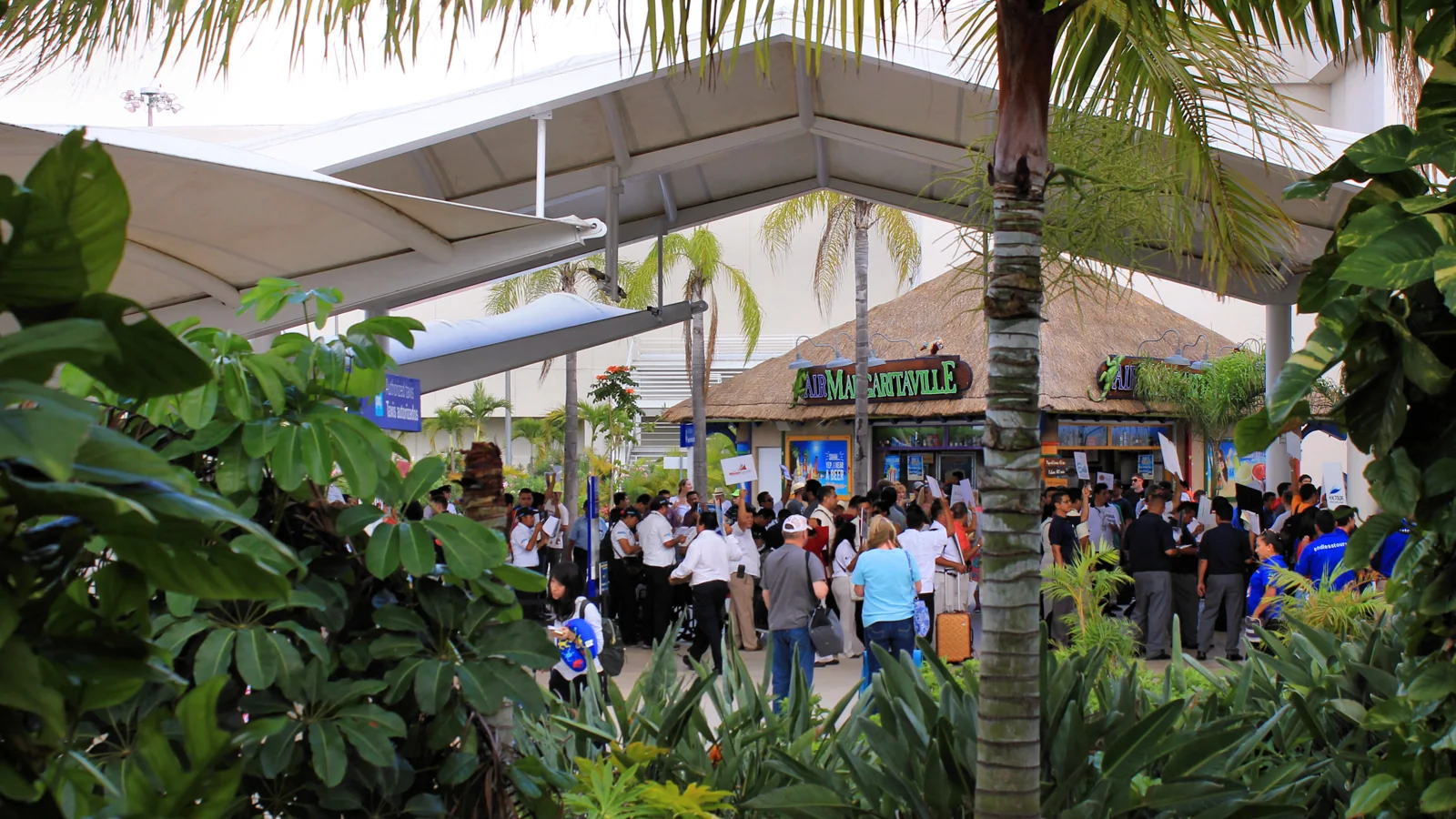

Archive photo, April 2017. It illustrates the outdoor meeting environment and signs held by greeters. Layouts, businesses and exact meeting positions may have changed.
Check your operator’s current guide: USA Transfers · T3 · Canada Transfers · T3 · Kalido · T3
T4 · PREBOOKED HOTEL TRANSFERS
Terminal 4: choose the Hotel Shuttle exit.
- Collect your bags and complete the required formalities. Follow ground-transport signs and keep your booking instructions ready.
- For a prebooked hotel transfer, follow Tour Operator / Hotel Shuttle to the left. The Family and Friends exit serves a different pickup arrangement. Confirm the route if your voucher gives a different instruction.
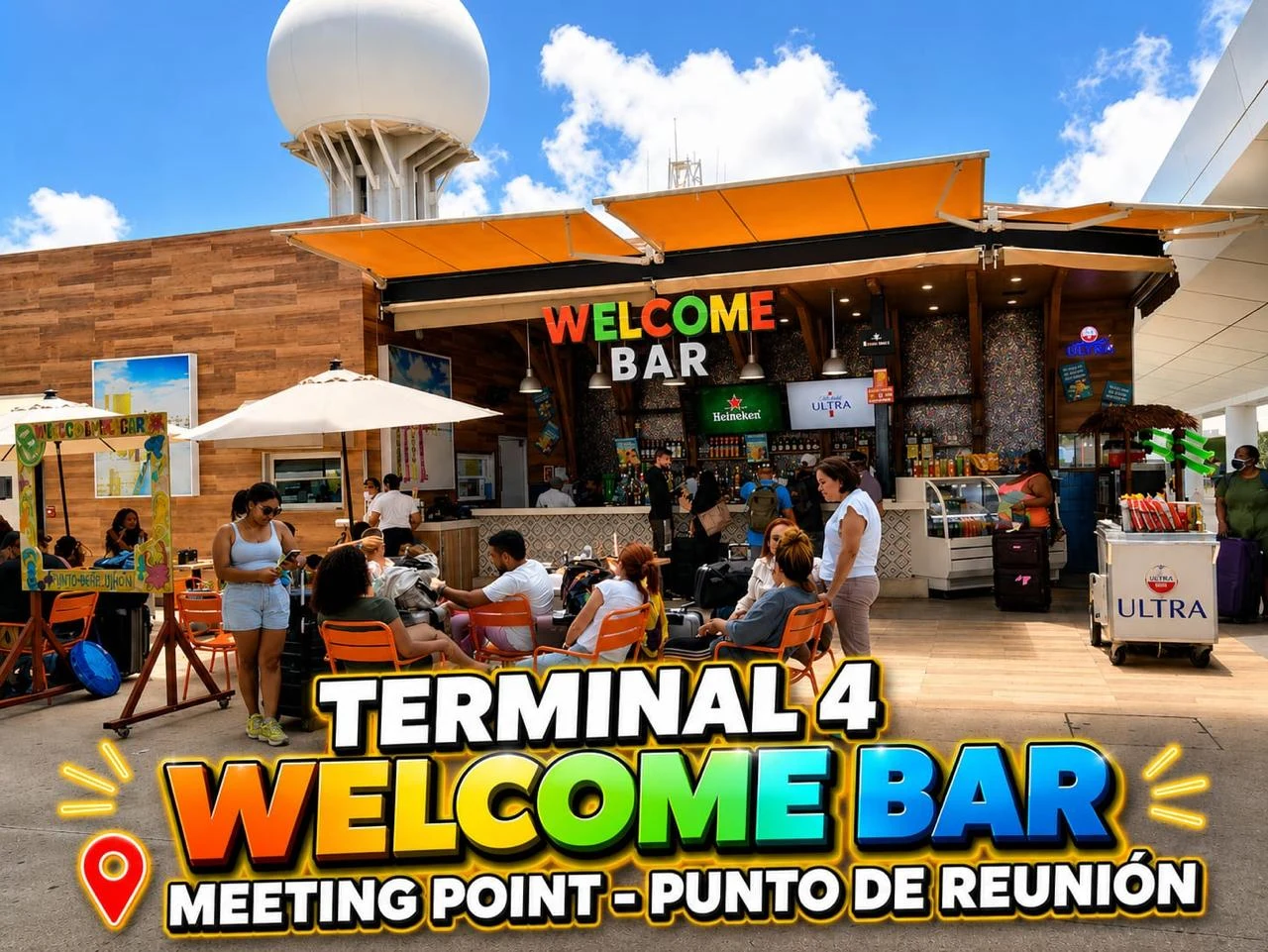
- Find your company outside. Check its logo or your name, then confirm your hotel. Platform letters, columns and bars are landmarks, not universal pickup assignments.
The exact point still depends on your operator
Kalido describes the first round column marked C near the Welcome Bar. Canada Transfers describes approximately two minutes walking straight after the left Hotel Shuttle exit. Use the latest message from your own company.
Muvon confirmed the covered Welcome Bar terrace as its T4 meeting point on 16 October 2026. See Muvon’s T4 photograph.
Check your operator’s current guide: USA Transfers · T4 · Canada Transfers · T4 · Kalido · T4
T1 · CURRENT ASSIGNMENT CHECK
Terminal 1: confirm before travelling.
Terminal 1 is part of an airport redevelopment and reopening programme. ASUR’s July 2026 update expected reopening in the fourth quarter of 2026; we have not verified that reopening has taken place as of 15 October 2026.
If your airline or booking lists T1, ask the airline and transfer company to confirm the current exit and meeting point. We do not yet have a verified photo walkthrough after reopening.
Source: ASUR 2Q26 update, pages 3 and 9
No sign of your driver? Do this first.
- Stop somewhere easy to describe. Read the terminal number, door sign, platform letter or nearby business name. Do not walk to another terminal without your provider’s confirmation.
- Contact the number on your own booking. Send your booking reference, actual terminal and a photo of your location. Ask for the representative’s name, clothing and exact meeting point.
- Confirm the waiting rule. Ask whether waiting is counted from landing or from the agreed pickup time and what happens after a delay. If necessary, contact the booking platform through your reservation.
A short message to show or send
“I have arrived. My booking is [reference]. I am at Terminal [number], beside [landmark]. Where should I meet your representative, and what name or sign should I look for?”
Save these details before you fly.
- Your booking reference and the local operating company’s name.
- The exact pickup instructions and contact number, saved offline.
- Your full hotel address, flight number and arrival terminal.
- Written confirmation for children’s seats, extra luggage or mobility assistance.
- The included waiting time and the process for a delayed flight.
Useful signs: Salida = Exit · Llegadas = Arrivals · Nacional = Domestic · Internacional = International.
MUVON CONNECT · SUPPLIER PHOTOGRAPHS
Recognise Muvon’s meeting points.
Muvon describes these as meeting points in the Pre-Booked Services Area, where its representative waits with a sign bearing the passenger’s name. On 16 October 2026, the company identified the terminals for the three photographs below. These are Muvon’s meeting points; follow the instructions for your own booking.
| Arrival terminal | Muvon’s stated meeting point |
|---|---|
| Terminal 2 Domestic / Nacional | ADO spot in the Pre-Booked Services Area — see the photograph above; look for the representative with your name. |
| Terminal 2 International | Welcome Bar — grey wall (portrait photograph) |
| Terminal 3 | Air Margaritaville |
| Terminal 4 | Welcome Bar — covered terrace (landscape photograph) |
The Terminal 2 Domestic ADO spot is a landmark for Muvon’s prebooked pickup. It does not mean you should board an ADO bus or follow another operator’s platform instructions.
T2 International · Welcome Bar
T3 · Air Margaritaville
T4 · Welcome Bar
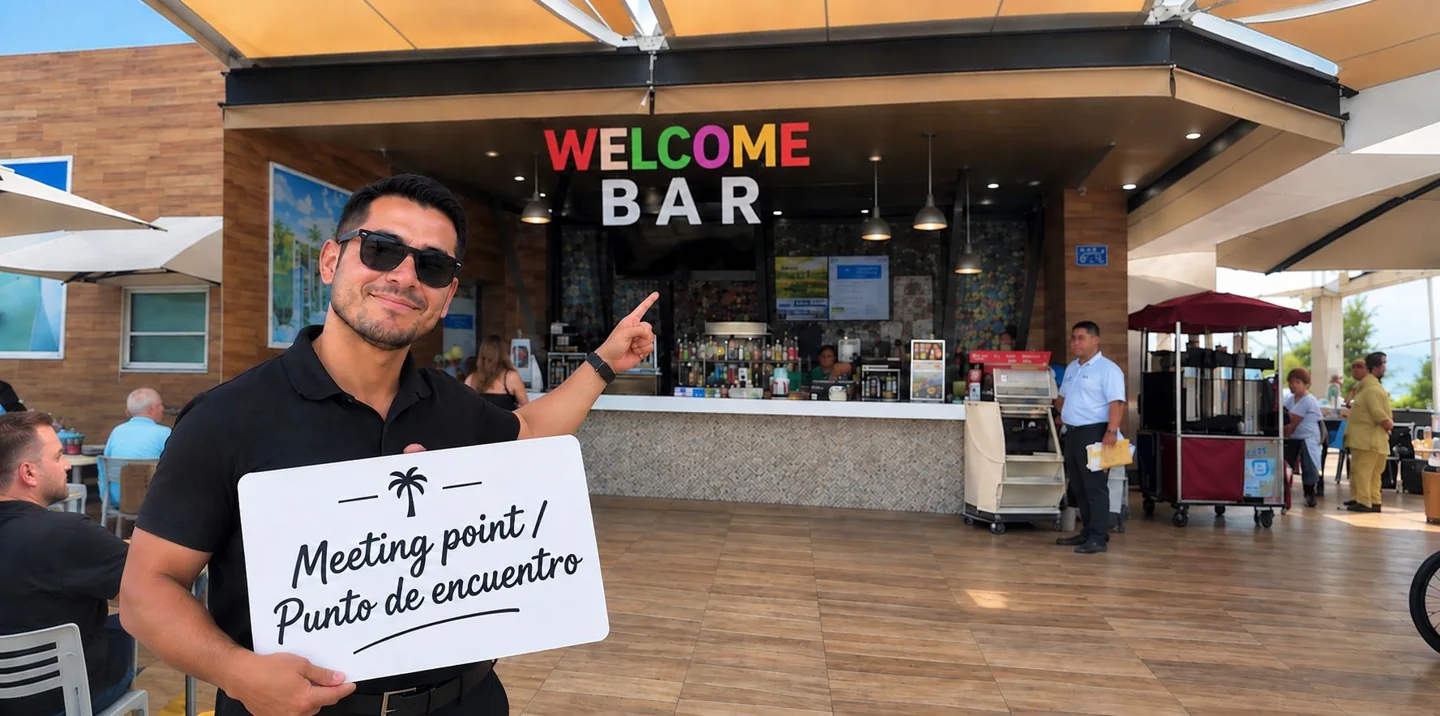
Photos supplied by Muvon Connect on 15 October 2026 and published with permission. Terminal labels and the T2 Domestic ADO meeting instruction were supplied by Muvon on 16 October 2026. The sign in these examples illustrates the meeting point; check your own name and booking with the representative.
HOLBOX SHUTTLE / HOLBOX ADVENTURE · UPDATED 16 OCTOBER 2026
Meet Holbox Shuttle at your arrival terminal.
In its airport reception guide supplied on 16 October 2026, Holbox Shuttle tells passengers to finish the arrival formalities and follow Pre-Booked Transport / Hotel Shuttle / Tour Operator signs. The company says it cannot collect passengers at the Family and Friends exit. It operates prebooked services only.
| Arrival terminal | Meeting point in the company’s guide |
|---|---|
| Terminal 2 Domestic / Nacional | ADO counter in the PDF; the company also identifies the Welcome Bar photo below as T2 Domestic. Follow your booking’s exact pickup instruction. |
| Terminal 2 International | Welcome Bar |
| Terminal 3 | Air Margaritaville Bar |
| Terminal 4 | Welcome Bar |
Photos of the meeting points
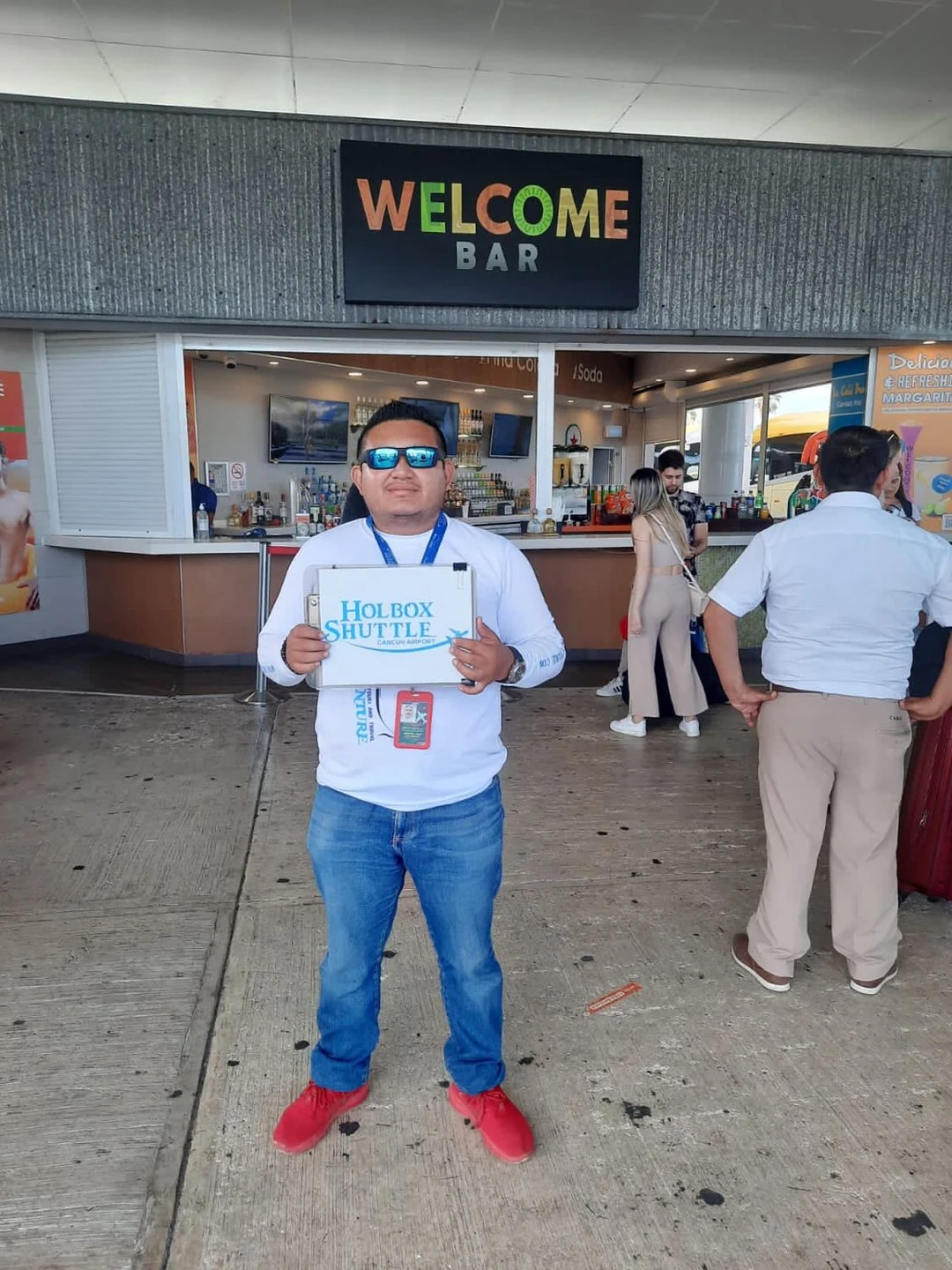
Holbox Shuttle confirmed these terminal labels and the photos’ current relevance on 16 October 2026. Use the landmarks and company sign to recognise the meeting area; your assigned representative may be a different person.
Terminal 2 · Domestic
Terminal 2 · International
Terminal 3
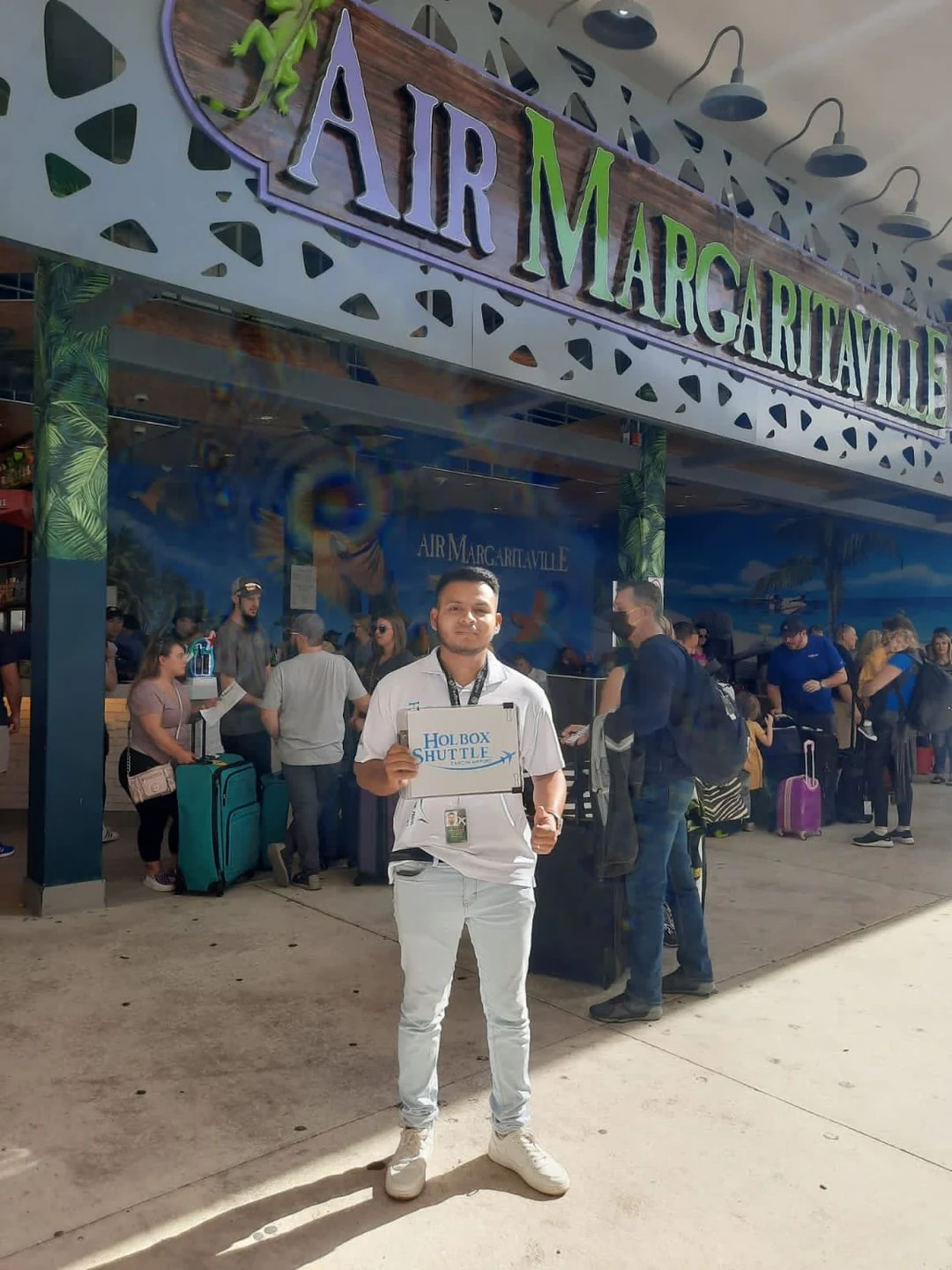
Terminal 4
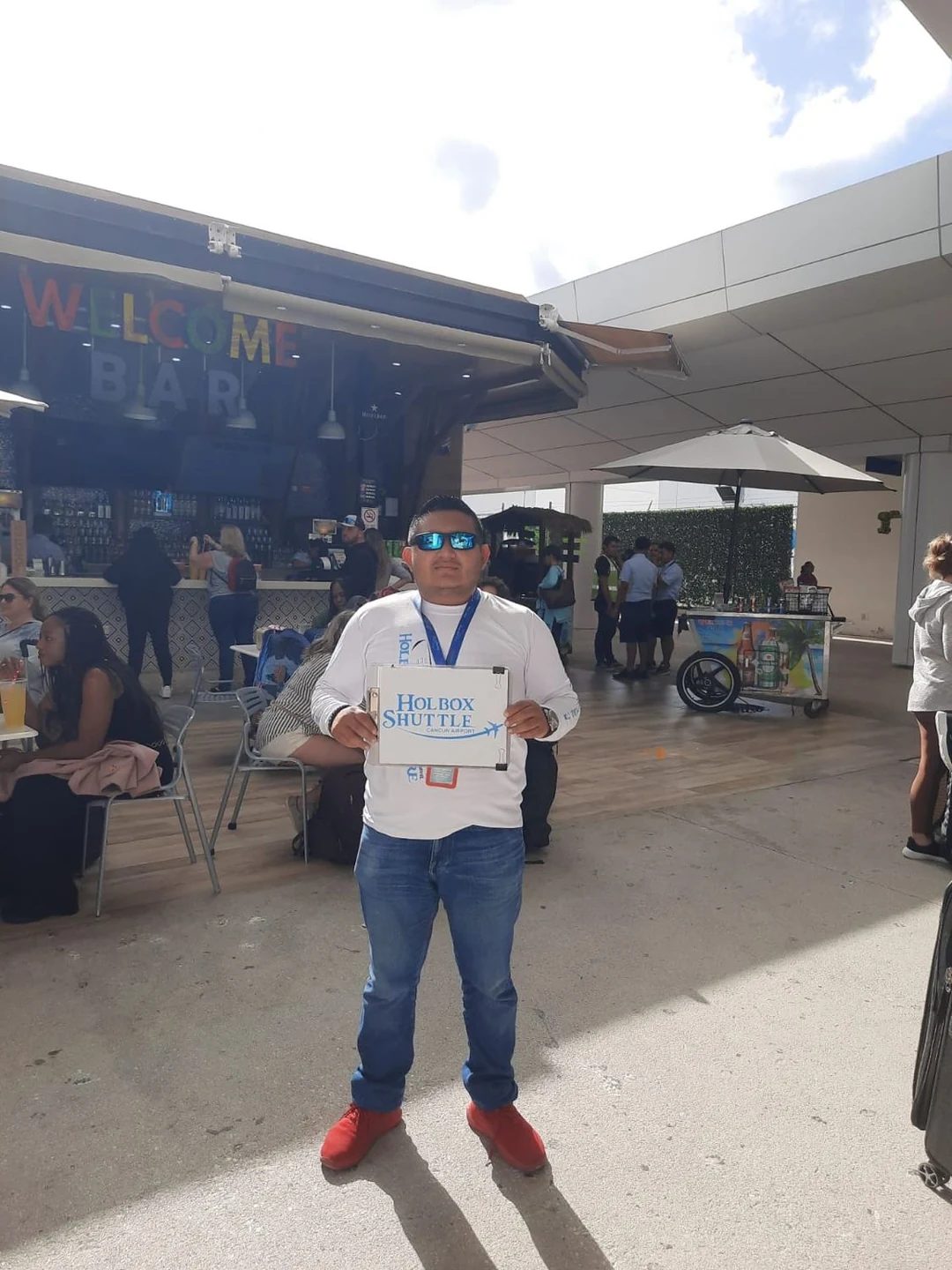
T2 Domestic: the supplied photograph shows Welcome Bar, while the company’s PDF names the ADO counter. These materials do not establish that both are interchangeable pickup points. Use the location on your reservation or contact arrival assistance below.
How to recognise your driver
The guide says the driver meets you with your name and/or a Holbox Shuttle sign. Uniform colours can be green, yellow, blue, pink or white; look for the Holbox Shuttle / Holbox Adventure logo and match the driver to your reservation. The company says it monitors aircraft landing times; this does not establish unlimited waiting.
Cannot find the driver?
The reception guide lists +52 984 184 7598 for WhatsApp and calls, and +52 984 135 6451 for calls only. Contact the company directly to verify your pickup before boarding or paying for another vehicle.
Booked a shared shuttle? Check the specific pickup instruction
The separate rate sheet received on 15 October names the ADO desk near platform 33 for the airport shared service, without a terminal. The newer reception guide identifies the ADO counter at T2 Domestic, but does not mention platform 33 or explain whether every shared booking uses the same terminal arrangements. The earlier reviewed GetYourGuide product names T2 Domestic / Welcome Bar. Use the pickup point on your confirmed reservation; do not switch terminals based on a different product’s instructions.
For the direct shared service, arrive 10–15 minutes early. The rate sheet allows only five minutes of waiting and treats a missed pickup after a flight delay as a no-show.
Source: Holbox Shuttle’s original seven-page airport reception guide, supplied directly on 16 October 2026, and its 2026 rate sheet received 15 October. Photos and PDF reproduced with the company’s permission. Meeting arrangements can change; follow the instructions for your confirmed service.
UNITTRAVEL · PHOTOGRAPHS RECEIVED 16 OCTOBER 2026
Unittravel’s airport meeting landmarks.
These four labelled images were supplied by Unittravel for its arrival guide. Match the terminal and meeting instruction on your reservation; the photographs do not identify your assigned representative. Keep the contact on your booking available.
Terminal 2 · International
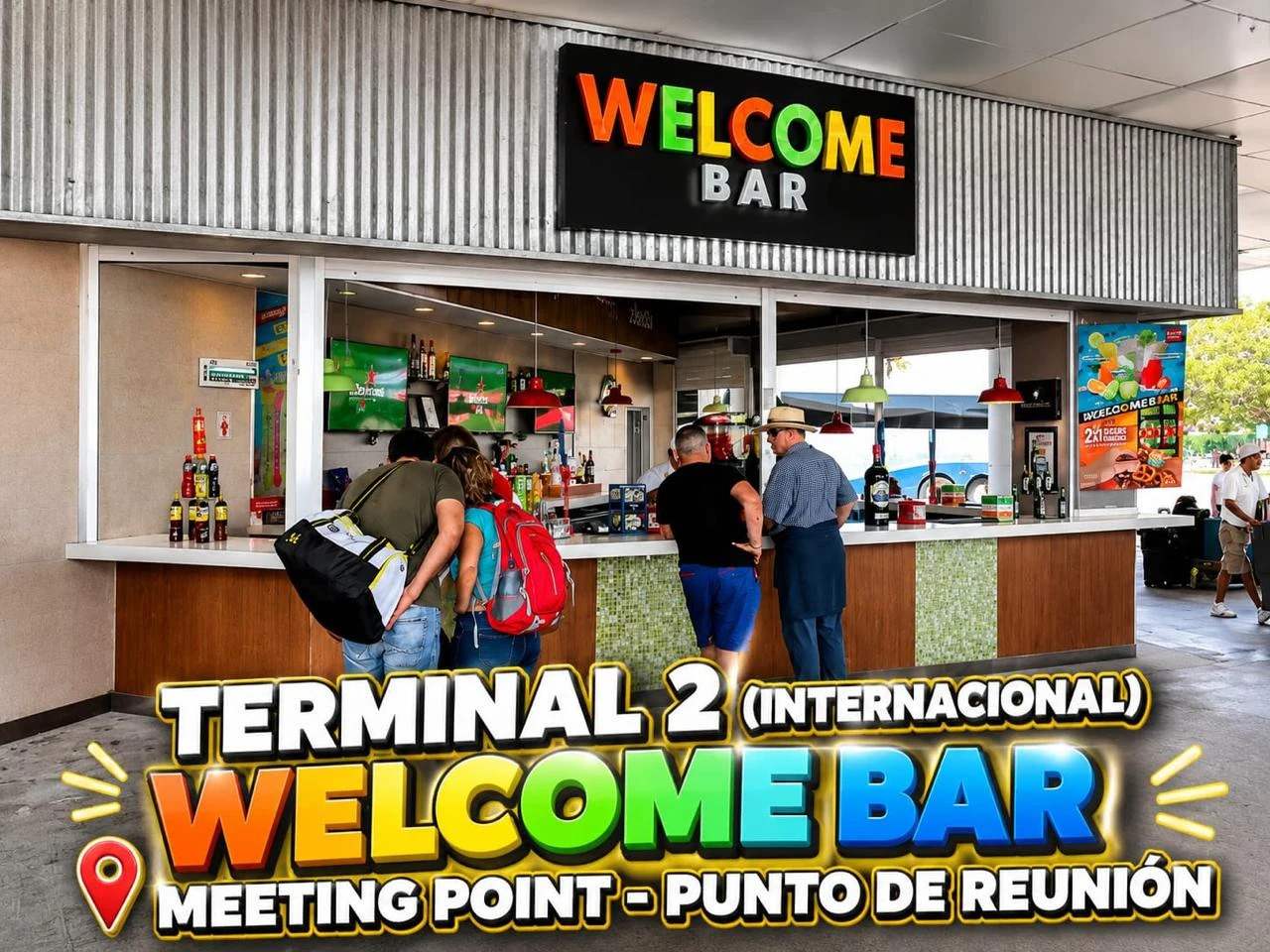
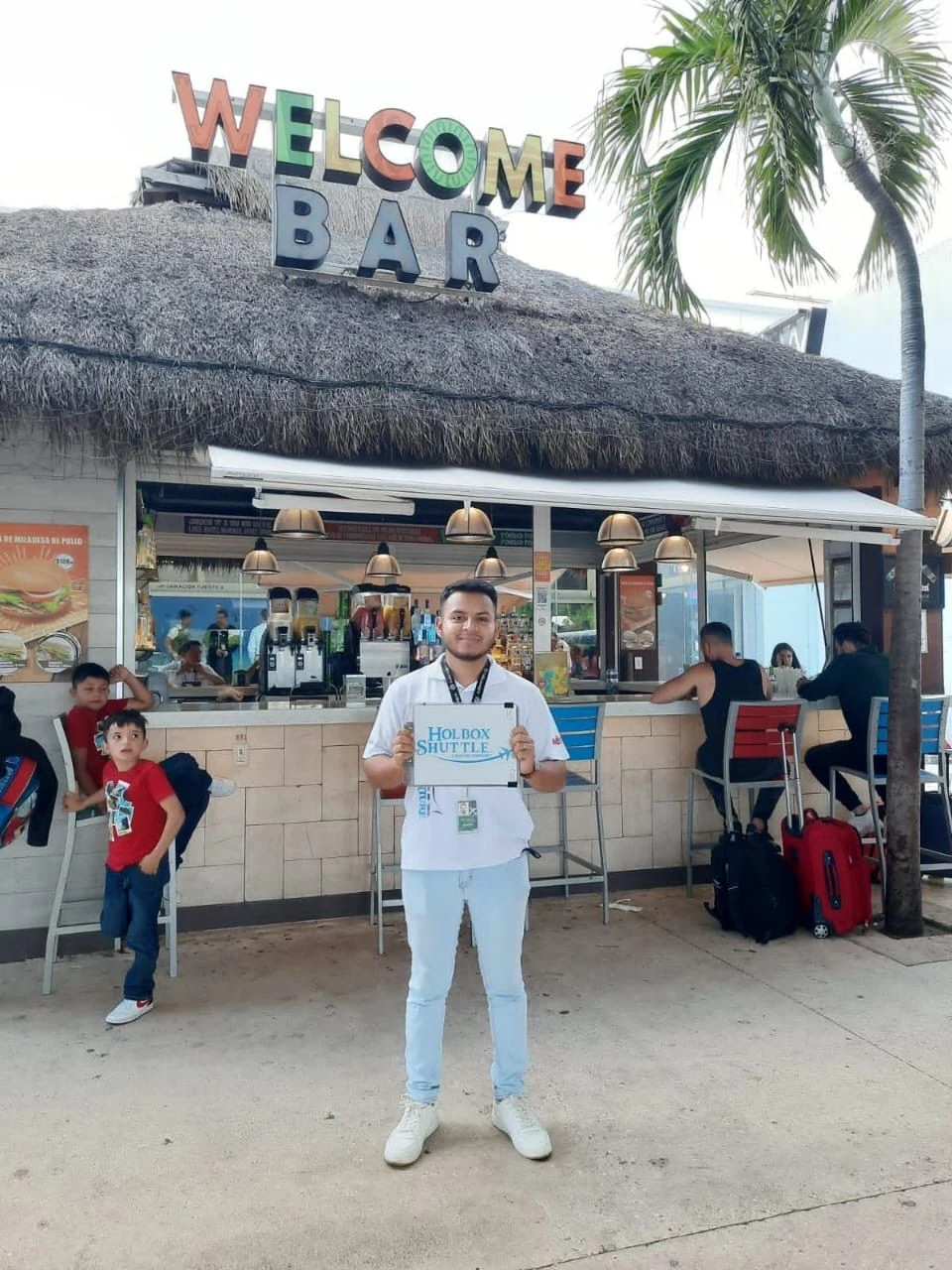
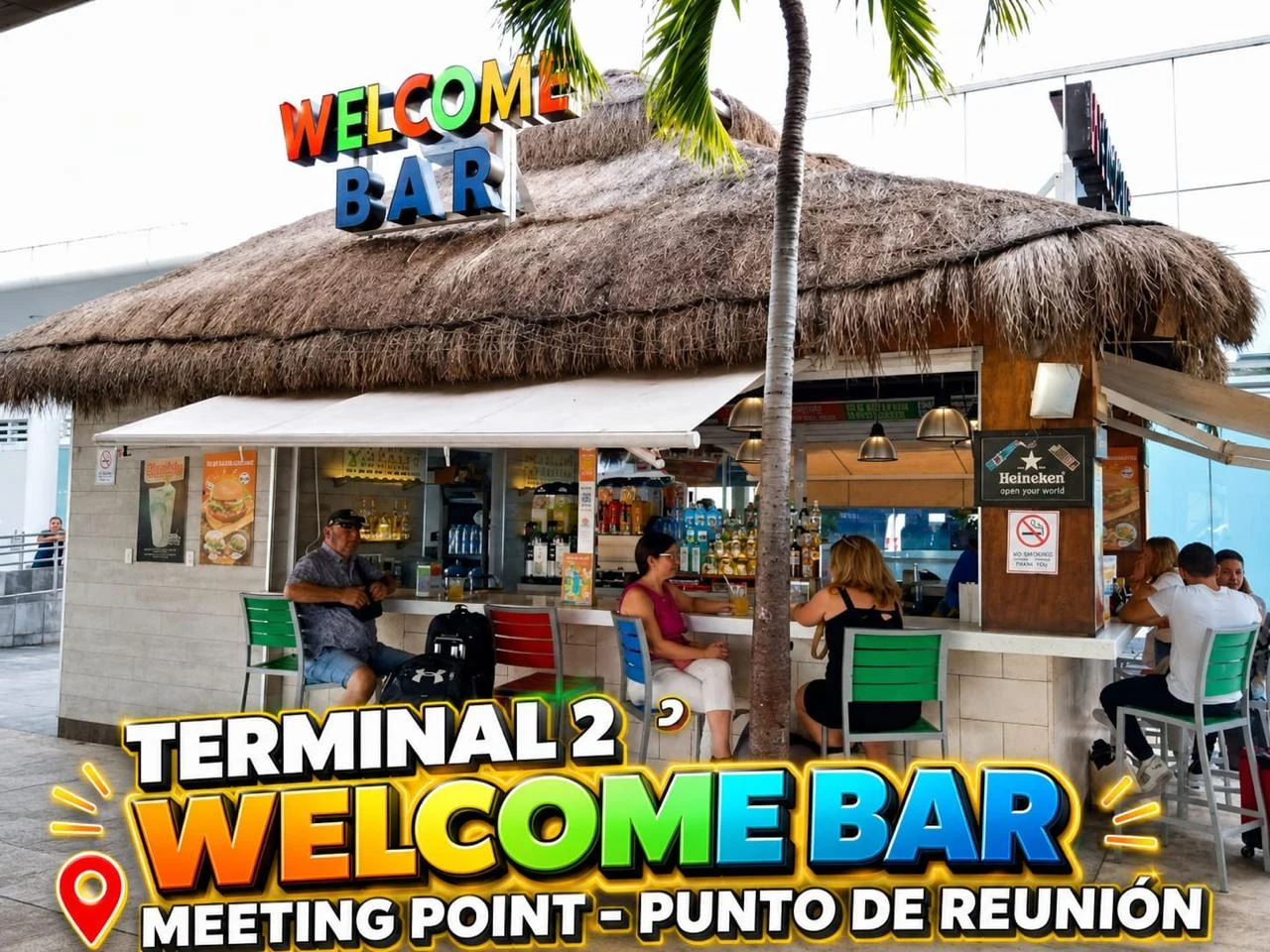
Terminal 2 · thatched-roof Welcome Bar
Terminal 3 · Air Margaritaville
Terminal 4 · Welcome Bar
Terminal 2: one supplied image explicitly says “Internacional”. The thatched-roof Welcome Bar image says only “Terminal 2”, without identifying Domestic or International. Follow your booking’s exact instruction rather than assuming the two locations are interchangeable.
Source and photo credit: Unittravel, received 16 October 2026 and reproduced with permission. Terminal labels follow the text embedded in the supplied images; the date the photographs were taken was not stated.
TERMINAL-SPECIFIC PICKUP
There is no single meeting point for everyone.
These are examples from supplier instructions reviewed on 20 September 2026. They show why you should follow your own voucher. Reconfirm the location before travel; terminal layouts and meeting arrangements can change.
| Terminal | Example from the supplier instructions | Use the correct instructions |
|---|---|---|
| Terminal 2 International | Happy Shuttle lists the area in front of Grab N Go; other companies describe their own meeting points. | Happy Shuttle listing (affiliate) |
| Terminal 2 Domestic | The reviewed Holbox Shuttle GetYourGuide product names Welcome Bar in the pre-booked-services area. The company’s newer reception guide identifies the ADO counter at T2 Domestic; compare the direct instructions above with your own voucher. | Holbox Shuttle listing |
| Terminal 3 | USA Transfers describes the Tour Operator–Hotel Shuttle exit and its uniformed representatives outside. | USA Transfers meeting guide |
| Terminal 4 | Happy Shuttle lists Platform C; Beto Go Travel’s reviewed instructions describe Welcome Bar opposite Platform D. | Happy Shuttle (affiliate) · Beto Go Travel |
For a different terminal or a changed flight, ask the operator for revised instructions. Do not transfer terminals just because another company’s guide mentions a different one.
TERMINAL 4 · PHOTO GUIDE
From baggage reclaim to ground transport.
Our ten photographs document baggage reclaim, signs, taxi counters, lettered platforms and the ADO counter. They show different transport options, not one continuous route to a prebooked transfer. Use the Hotel Shuttle instructions above for your booked ride.
The numbered baggage belts and taxi counters are different from the lettered outdoor platforms. Check the location named by your own transport provider.
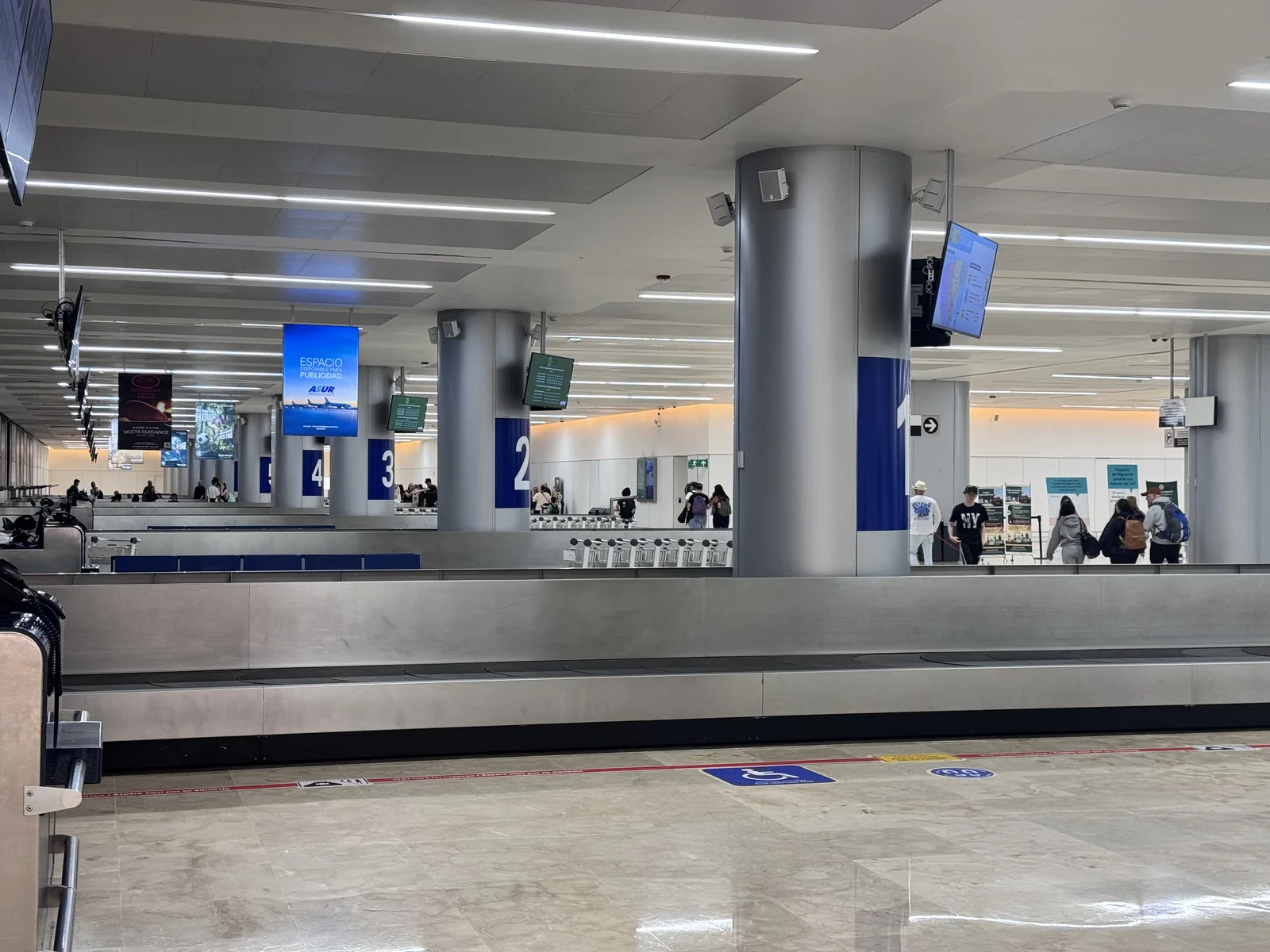
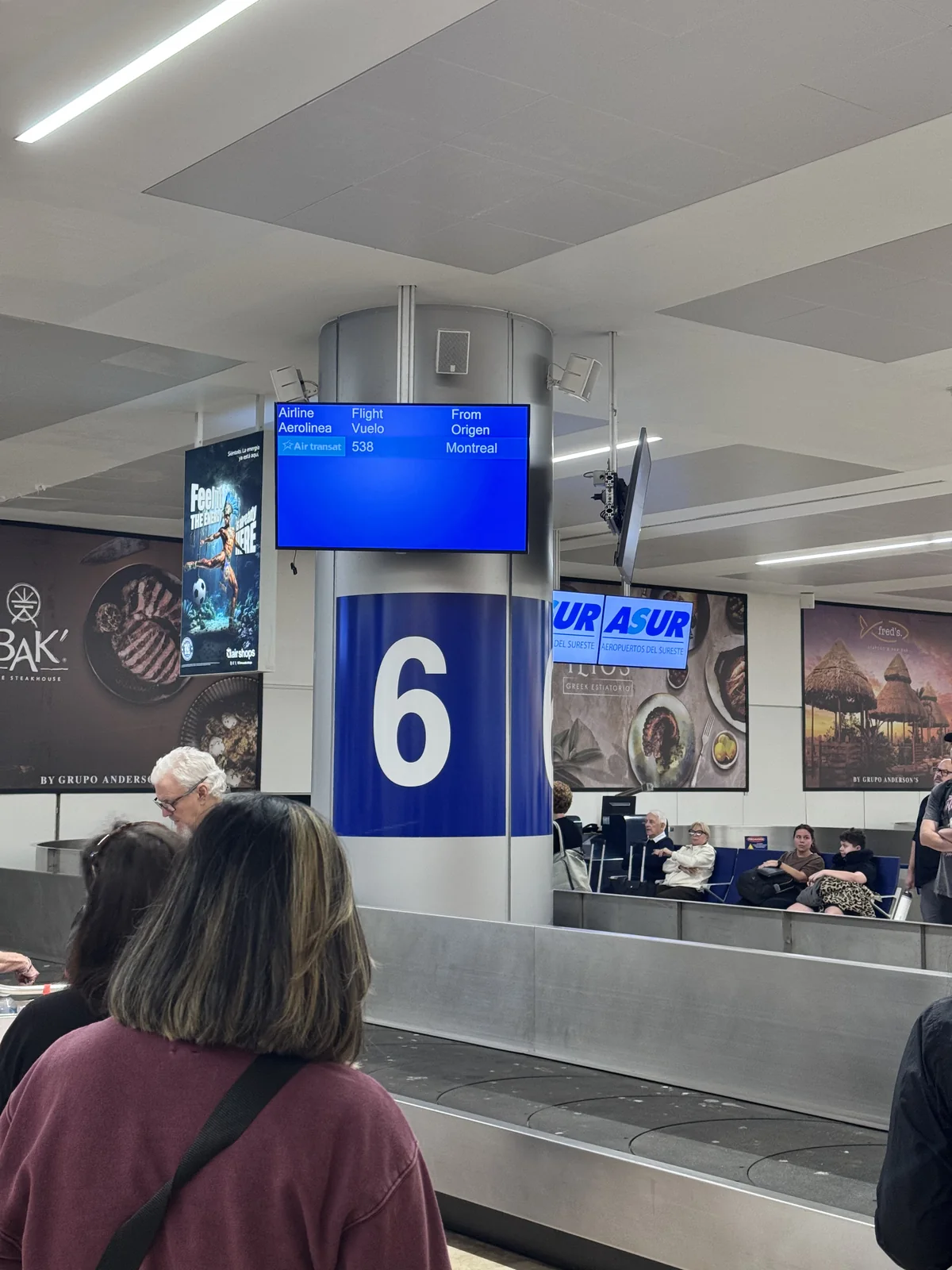
1. Baggage reclaim
Match your flight to the baggage-belt display. The flight and belt shown in the photograph are examples.
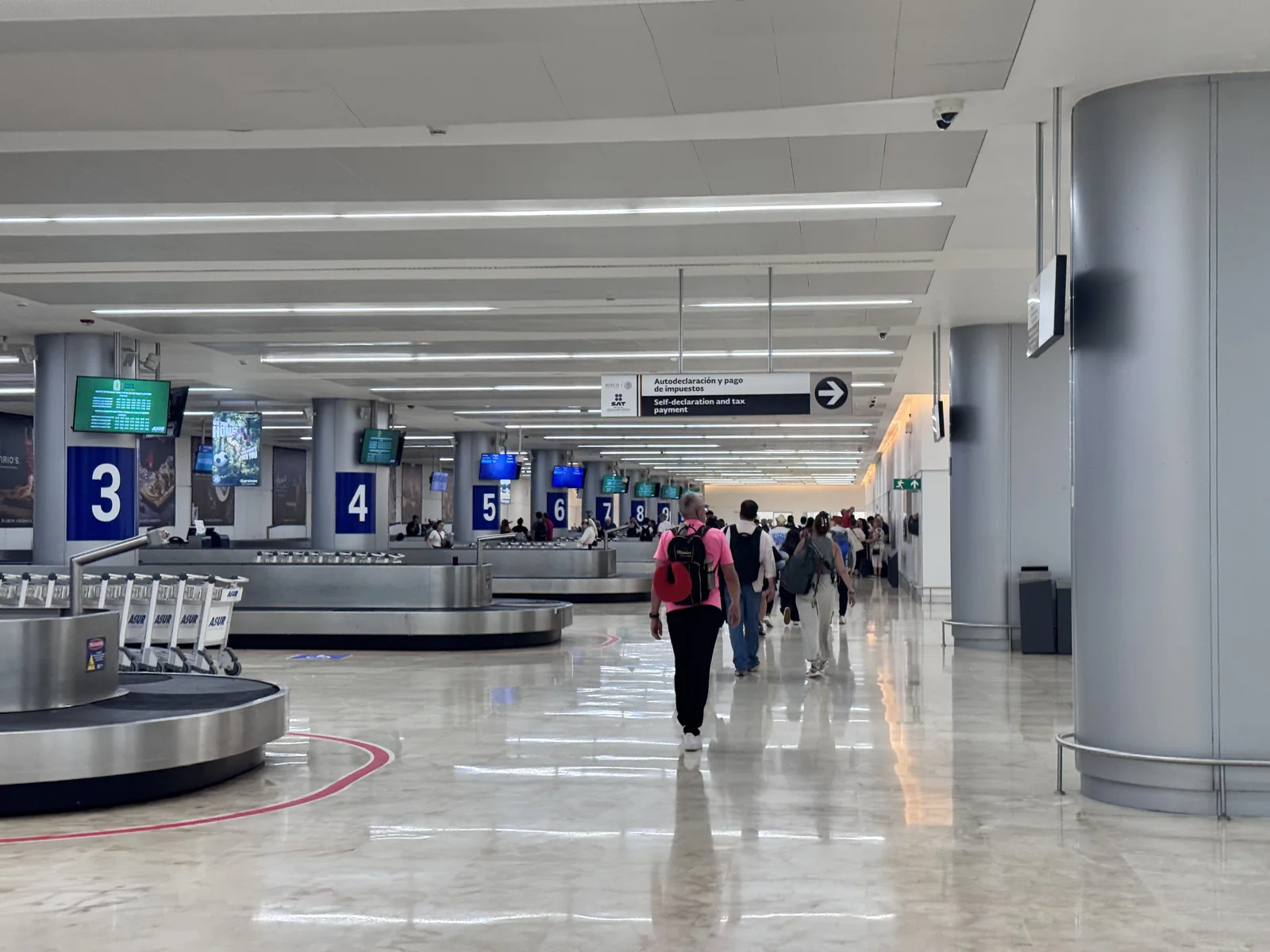
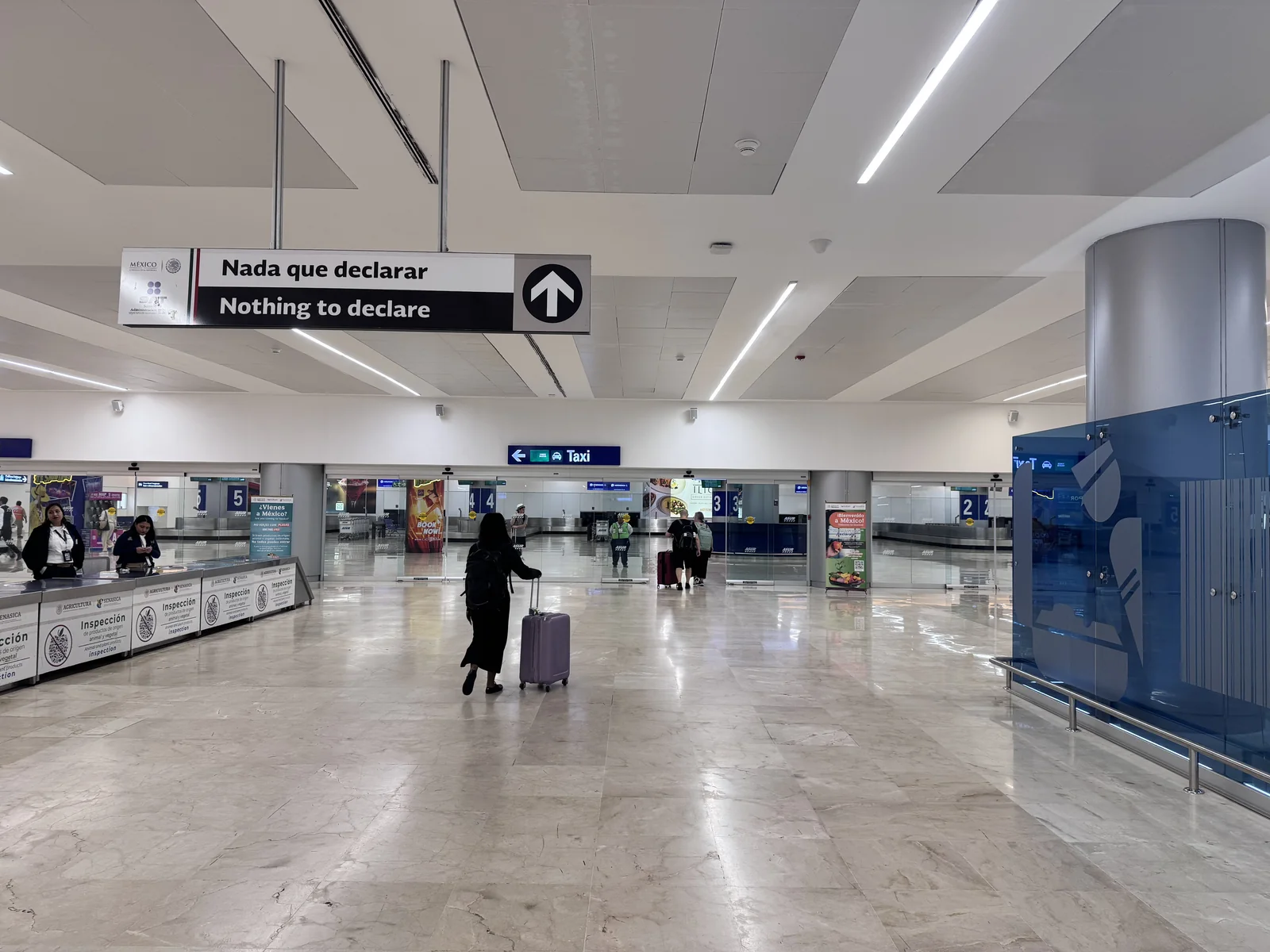
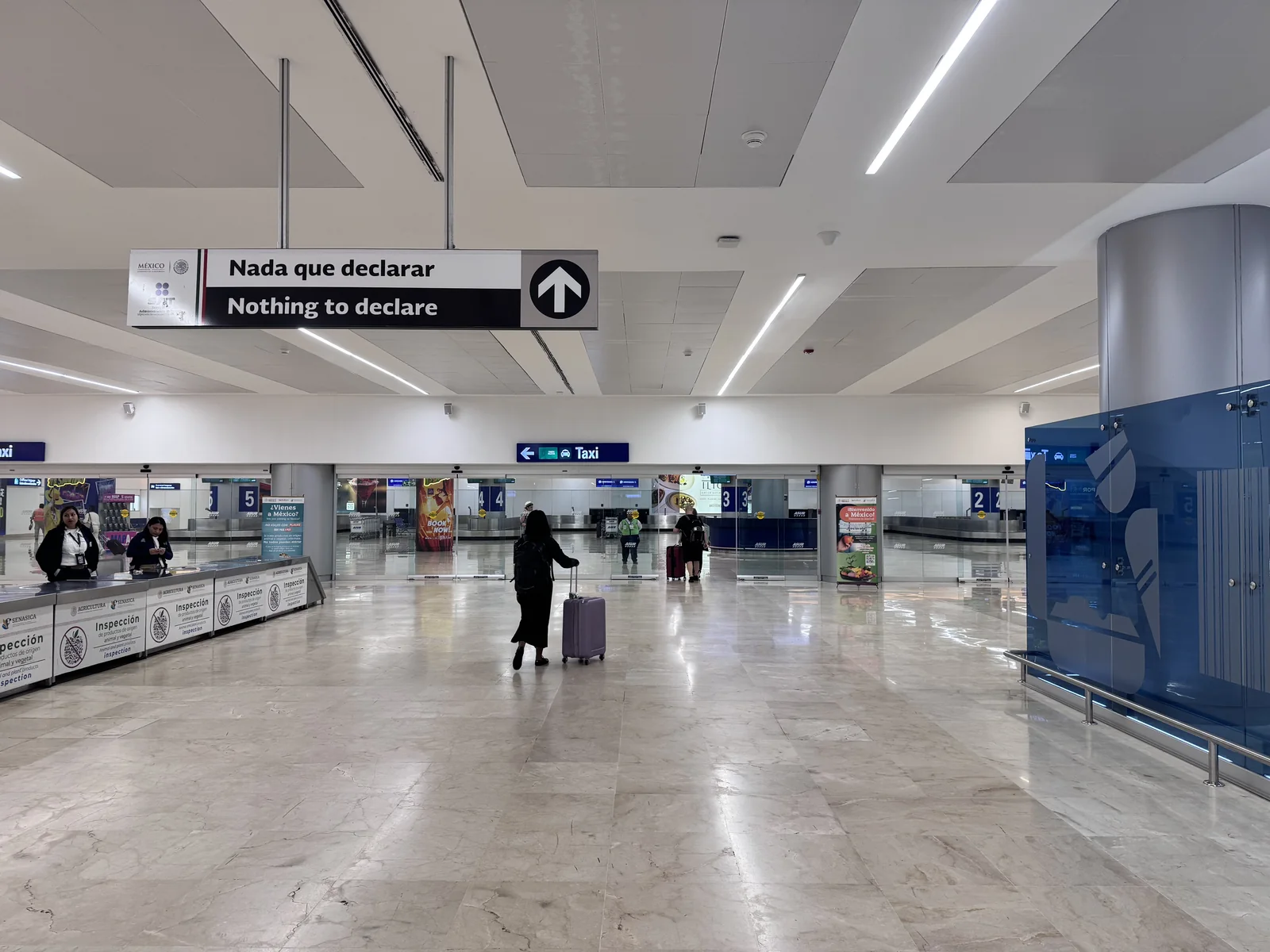
2. Signs near the baggage hall
These two views show the “Nothing to declare” sign and a separate taxi direction sign.
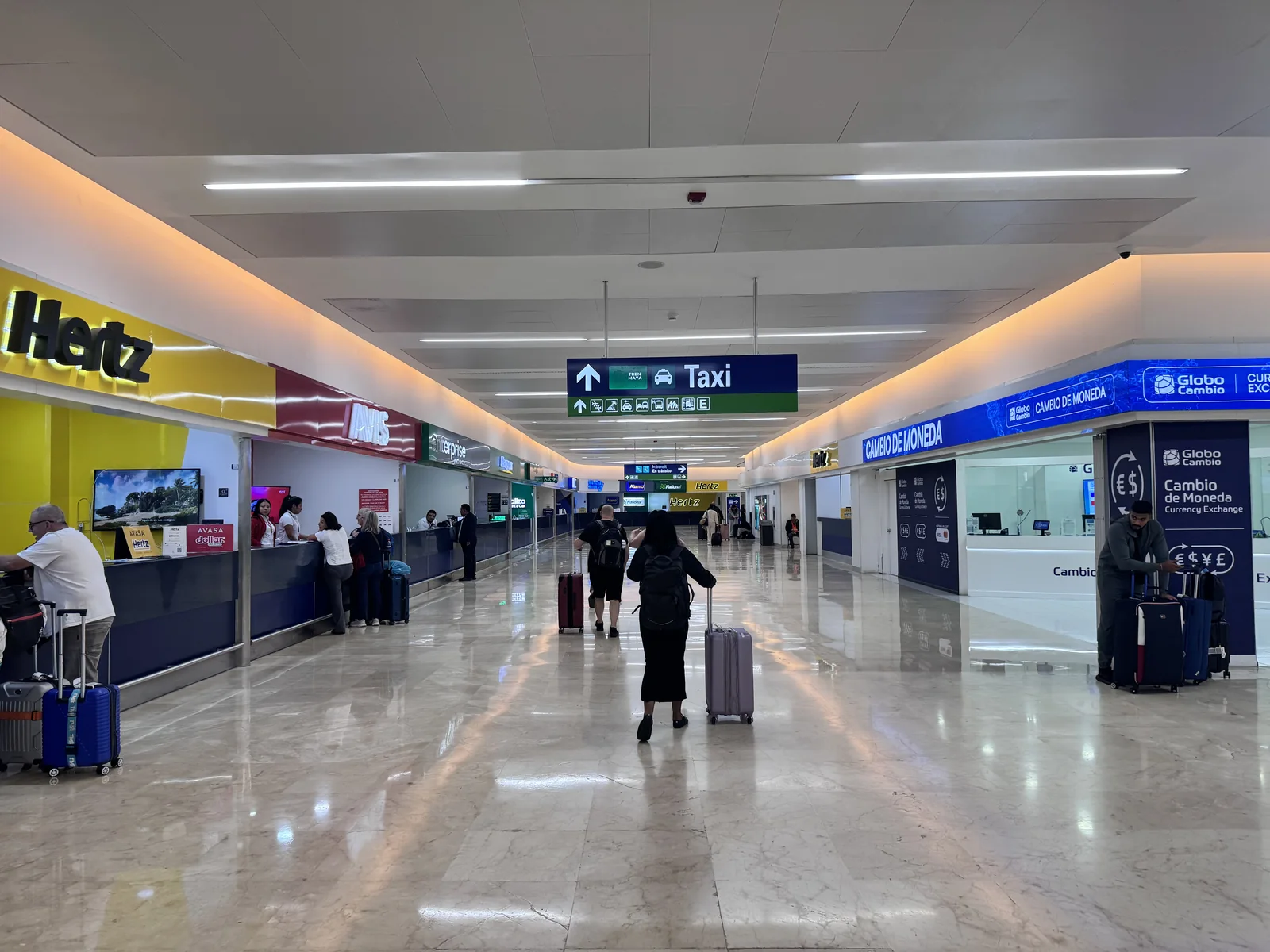
3. Indoor transport signs
Car-rental counters, currency exchange and “Taxi autorizado” doors are visible. The taxi door is not a substitute for the Tour Operator / Hotel Shuttle exit on your transfer voucher.
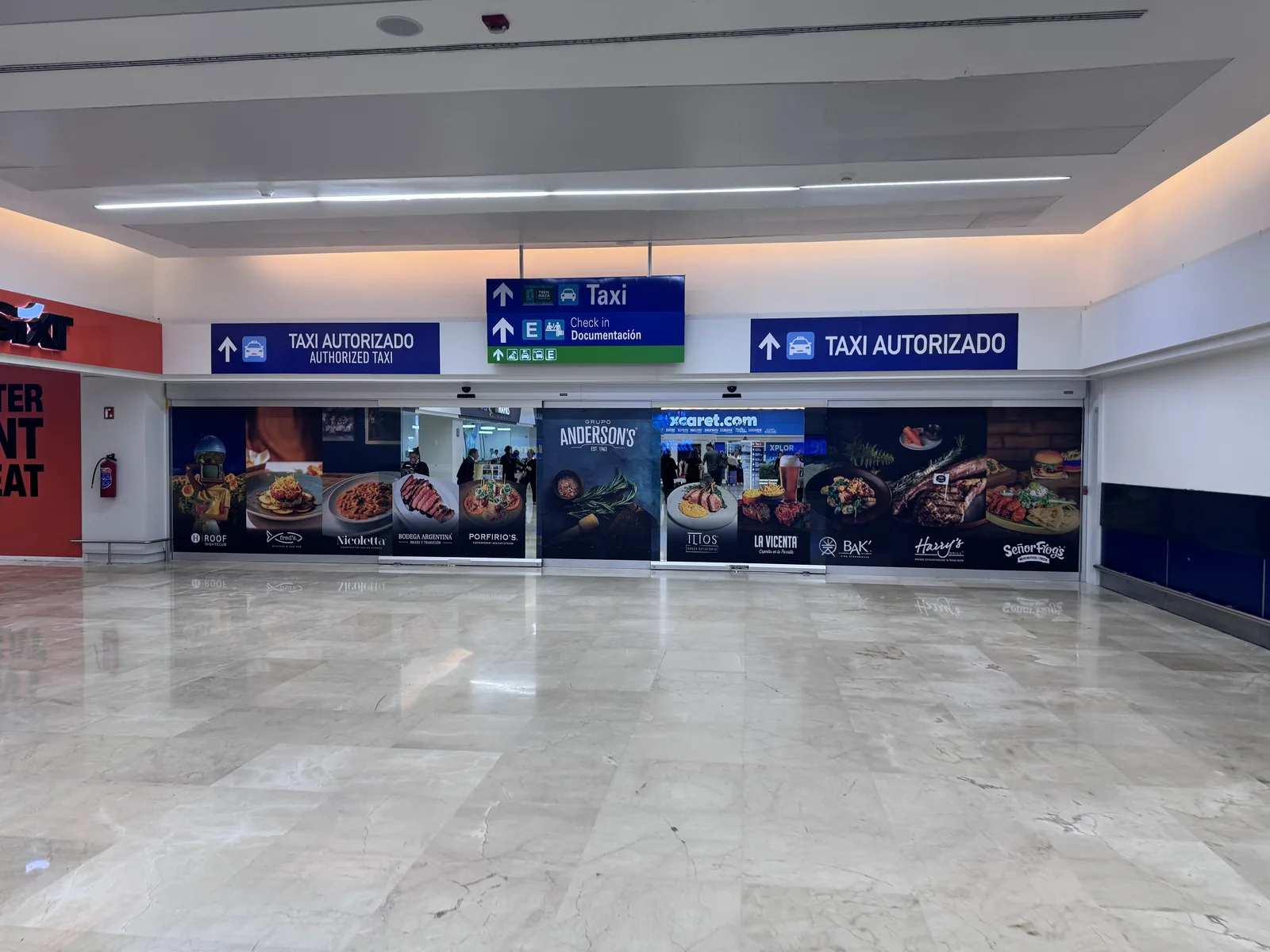
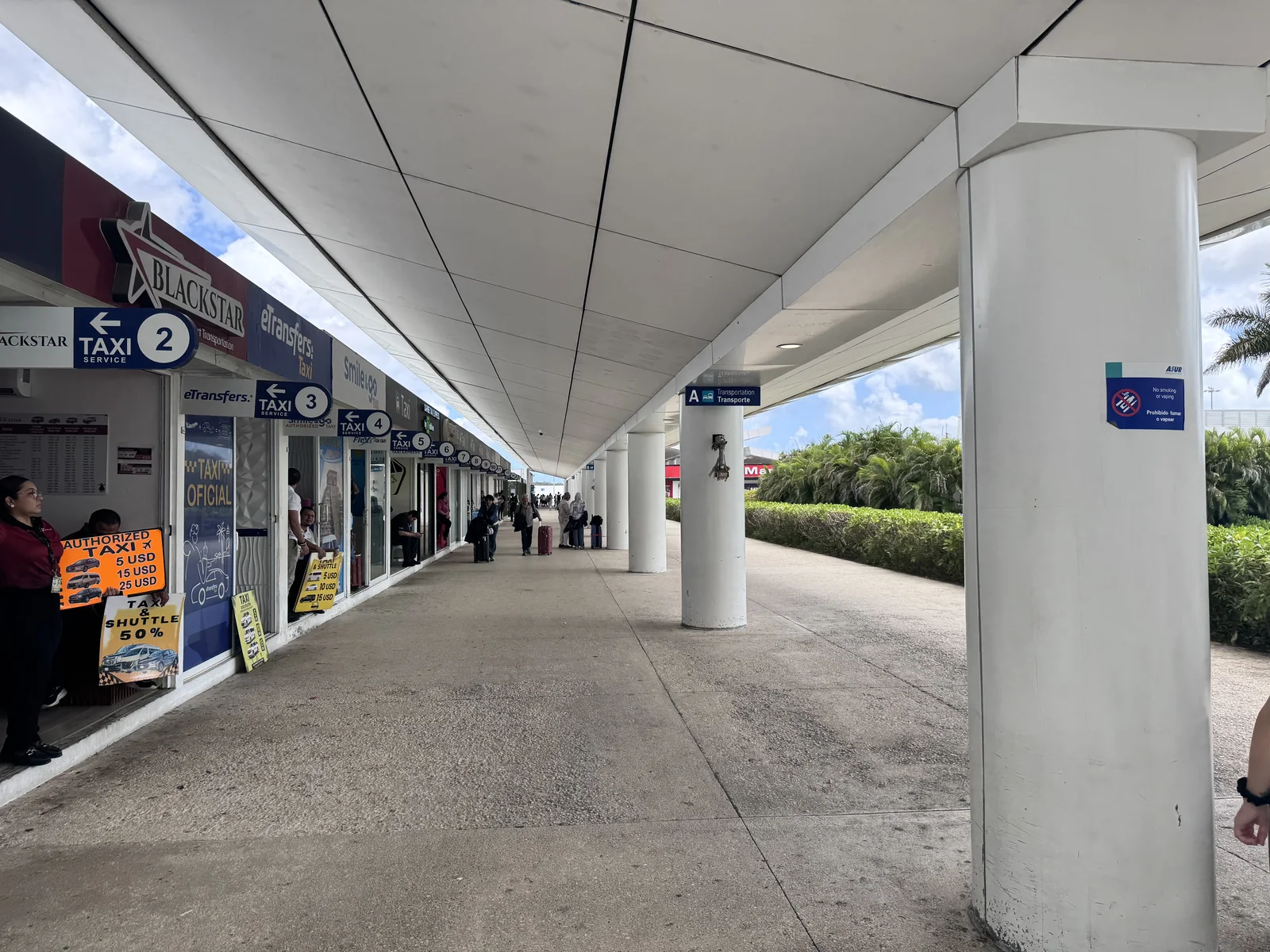
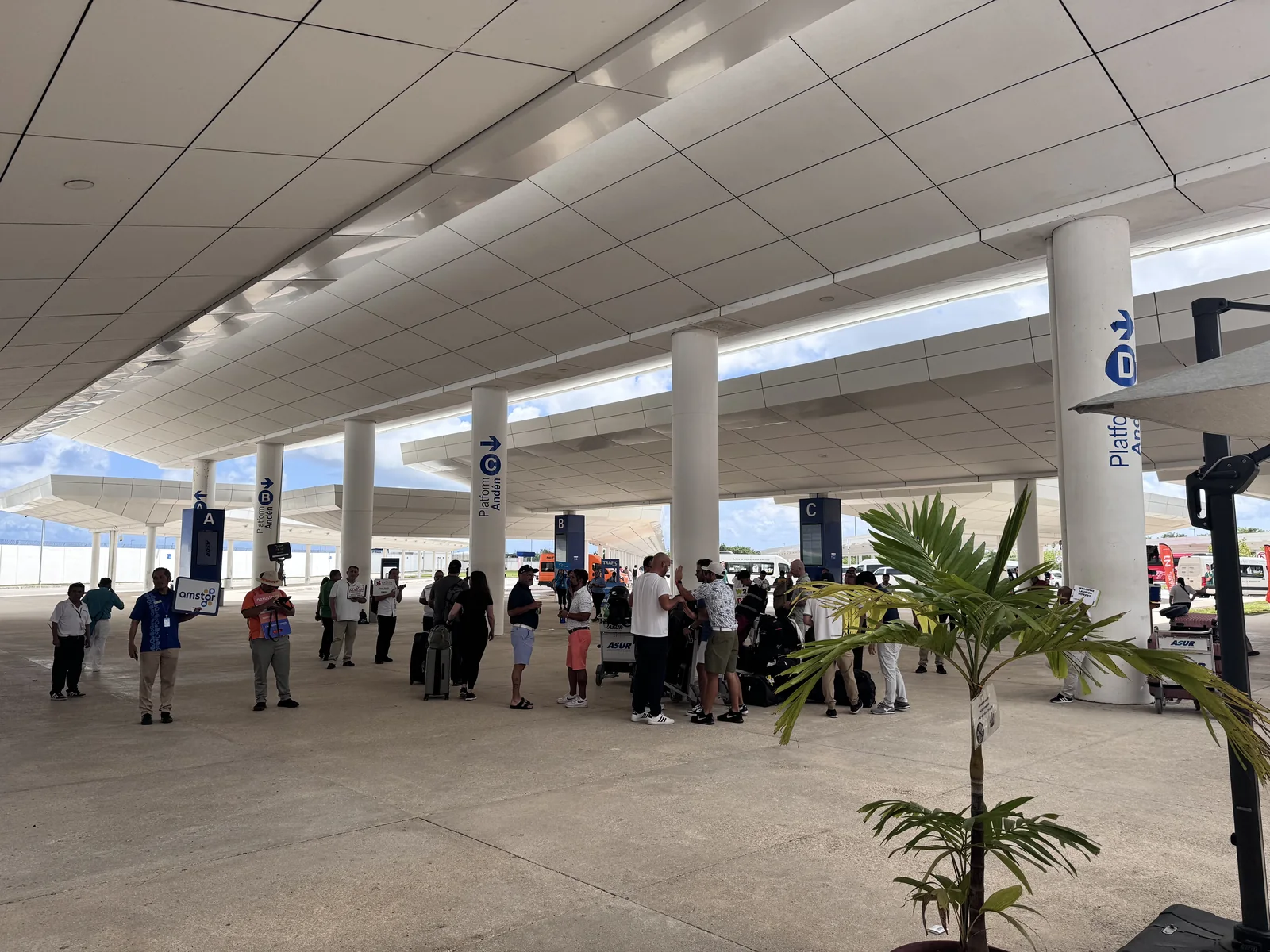
4. Outside the terminal
The photographs show numbered taxi sales counters and the separate area with lettered platforms. Follow the meeting location on your reservation.
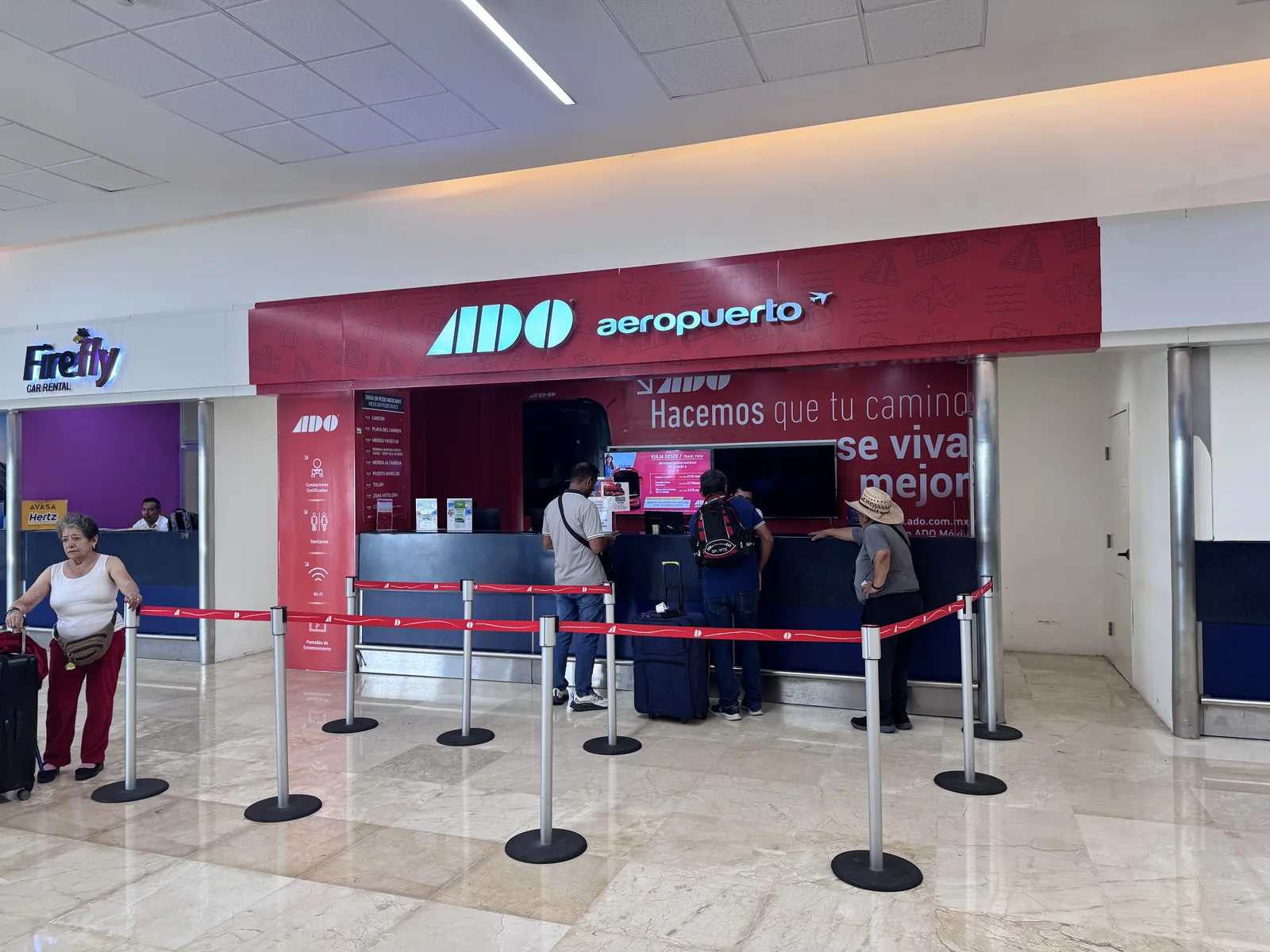
5. The ADO ticket counter
The red “ADO aeropuerto” sign identifies the counter in this photograph. Ask staff where to board your specific departure.
Know who you are speaking to.
Some operators warn that people at the airport may offer to call your company or claim your transfer has been cancelled. Verify any such message directly using the contact details on your own booking.
- Keep your booking confirmation on your own phone.
- Check the representative’s company name and your reservation details.
- Confirm the destination and any agreed charges before boarding.
- If plans change, keep the messages and receipts so the provider or platform can investigate.
Sources: USA Transfers instructions · Beto Go Travel instructions
Airport taxis
If arranging a ride after landing, use an airport-authorised taxi sales point and confirm the complete fare before paying. Ask whether the quote is per vehicle, which hotel zone it covers, how much luggage fits and which payment methods are accepted.
Keep the receipt and vehicle details. A taxi obtained on arrival has different booking, cancellation and waiting arrangements from a prepaid private transfer.
Uber and other ride apps
Uber publishes a Cancun Airport pickup page and tells travellers to use the in-app instructions after requesting a ride. Availability, pickup points and airport access arrangements can change. Check the app and current local instructions for your terminal on the day.
Do not assume that a city ride or an airport drop-off establishes the same pickup arrangements. For an arrival that needs a confirmed child seat, larger vehicle or fixed meeting service, settle those details with the provider beforehand.
Delays, children, luggage and return trips.
Does flight tracking mean unlimited waiting?
No. Tracking and waiting are different conditions. Ask when the included waiting period starts, how long it lasts and what happens if immigration, baggage or a delayed flight takes longer. Some reviewed products start counting at landing; others use scheduled arrival.
How do I arrange a child seat?
Request the correct seat for the child’s age and size, ask whether it costs extra, and get written confirmation. “Infant seats available” does not establish that a suitable seat has been reserved. Include all children in the passenger count.
How much luggage can I take?
Give the provider the suitcase count and approximate sizes, plus strollers, sports equipment or wheelchairs. A vehicle’s passenger capacity does not guarantee space for the same number of large suitcases.
What if I need an accessible vehicle?
Describe whether you can transfer to a car seat or need to remain in your wheelchair. Confirm ramp or lift access, chair dimensions, securement and assistance with the actual operator. Generic listing labels can be incomplete.
What if we arrive on different flights?
Confirm multiple-terminal pickup and waiting before booking. Some products explicitly exclude it. Separate bookings may be needed.
How early should I leave for my return flight?
Work backwards from your airline’s airport arrival recommendation, adding the provider’s current road estimate, any shared hotel stops and a traffic buffer. Confirm the hotel pickup time with the supplier; it is different from the flight departure time.
Should I use my hotel’s transfer?
Ask your hotel whether transport is included, the name of the supplier, whether it is shared or private, and the full cost if it is an extra. Compare those terms before booking a second transfer.
Would a rental car be better?
Consider a rental if you need a vehicle for several days. Compare the full rental quote, insurance arrangements, deposit, fuel policy, parking at your stay and the rental-office shuttle. A rental counter pickup is a different arrival process from meeting a hotel-transfer driver.